Lotus365 Winn Cricket ID: Betting Account Overview
A cricket betting account is useful only when you can access it safely and understand what appears after you sign in. If you are new to Lotus365 Winn, you may have questions about where to enter your ID, what to do when a password fails, or how to check an unsettled cricket bet.
This guide explains the Lotus365 Winn login process in simple terms. It also covers account security, mobile access, common errors and the details to review before placing a cricket bet. Use the website address you have independently verified, and check the terms shown in your own account before making any payment or placing a bet.
What You Need Before Logging In
Before opening the login screen, make sure you have the account ID or username and password issued or created during registration. Keep your registered contact details available in case you need to recover access.
You will also need a stable internet connection. A weak connection can cause a page to load slowly or make it appear that a Login attempt has failed. If you use a shared phone or computer, take extra care: do not save the password in the browser, and sign out when you finish.
Check the website address before entering any details. Similar-looking domains, messages and social media links can lead to imitation pages. A familiar logo alone does not prove that a login form is genuine.
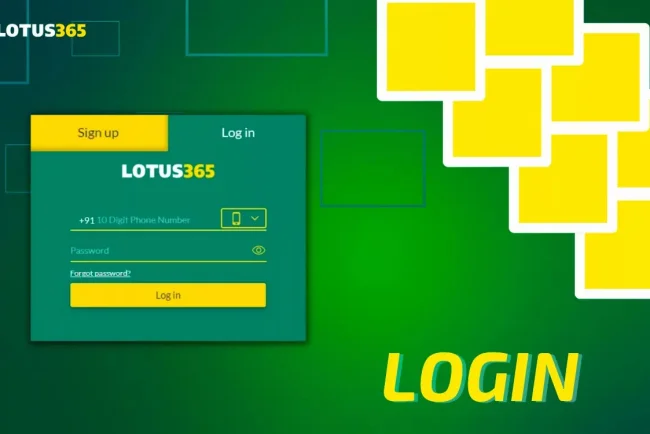
How to Log In to a Lotus365 Winn Account
The basic login process is straightforward:
- Open the Lotus365 Winn website address you have verified.
- Select the Login or Sign In option.
- Enter your account ID or username exactly as registered.
- Type your password, checking capital letters and special characters.
- Review the address in your browser once more, then submit the form.
- Confirm that the account name and dashboard details belong to you.
The Lotus365 Winn website describes login as entering an ID and password to access an account. The labels and screens you see may change, so follow the instructions displayed on the current login page. lotus365winn.in
If you have received a one-time verification code, enter it only on a page you opened through your verified website address. Do not share a code with someone who contacts you by phone or message.
What to Check After You Sign In
Take a moment to review your account before moving to a cricket market. Check that your username is correct and look for any account notices. Then review your available balance, transaction history and open bets, if those sections are provided.
This quick check matters when you use more than one device. It helps you spot an unfamiliar session or a transaction you do not recognise. If something looks wrong, stop using the account and contact support through a channel you have verified yourself.
For a cricket bet, inspect the event name, teams, market, selection, odds and stake before confirming. A market can change while a match is live. Read the final bet slip carefully, especially if the odds shown there differ from the price you first selected.
Logging In on a Mobile Phone
Many users check cricket accounts on a phone during a match. A mobile browser can be convenient, but the smaller screen makes it easier to miss a changed web address or tap the wrong market.
Type or open your verified site address directly. Avoid signing in through an unfamiliar link forwarded in a group chat. Once the page loads, check that the username and password fields are visible and that the browser address is correct. If a pop-up covers the form, close it carefully rather than tapping through it.
After signing in, review the bet slip before submitting any selection. On a small screen, confirm both the amount entered and the market name. If the page freezes or your connection drops after you submit, check your account’s bet history before trying again. This can help prevent an unintended duplicate bet.
If you choose to use an app, get its download instructions from a source you have verified. Do not install an application merely because it uses the Lotus365 name or logo.
Lotus365 Winn Login Problems and Simple Fixes
A failed login does not always mean that your account has been blocked. Work through the likely causes one at a time.
Incorrect ID or password: Re-enter both details manually. Check for spaces copied into a field and confirm whether the password contains capital letters, numbers or symbols. If the browser has saved an old password, clear that entry and type the current one.
Page does not load: Test another website to check your connection. Then reload the page once. If the problem continues, try another browser or return later. Avoid repeatedly entering credentials on a page that looks incomplete.
Verification code does not arrive: Confirm that you are checking the contact method registered to the account. Wait for the current code before requesting another. If several codes arrive, use the instructions on the active login screen; do not send the codes to anyone else.
Account appears locked: Repeated incorrect attempts may trigger an access restriction. Use the recovery option shown on the verified website, or contact its support channel. Be ready to provide appropriate account details, but never disclose your password.
Login succeeds, but information looks unfamiliar: Sign out and investigate before placing a bet or adding funds. Check whether you opened the expected website and whether the displayed account is yours.
Keep a short record of the error message and when it occurred. That makes it easier to explain the issue to support without sharing sensitive login details.
How to Recover Account Access Safely
If you have forgotten your password, look for a recovery option on the verified login page. Follow the steps shown there and use only the email address or phone number associated with your account.
Choose a new password that you do not use elsewhere. A long, unique password is easier to protect than a short variation of an old one. A password manager can help you store it without keeping it in a chat or note that other people can open.
If there is no self-service recovery option, contact support using contact information obtained from the website you have independently checked. Explain that you need account access restored. Do not trust a person who approaches you unsolicited and offers to “unlock” your ID in exchange for a payment, password or verification code.
After regaining access, review your account details and recent activity. If the platform offers a way to end other sessions, consider using it when you suspect someone else may have signed in.
Protecting Your Cricket Betting ID
Your login ID is connected to account information and potentially to funds. Treat it with the same care as other financial account credentials.
Never share your password, one-time code or recovery details with an agent, tipster or person claiming to offer a special account service. Use a unique password and keep your phone or computer updated. A screen lock adds protection if your device is lost or borrowed.
Be cautious with search results that claim to be the “new login link.” A similar name in a result does not confirm who operates that site. Check the complete address and avoid entering credentials when the domain is unfamiliar.
If you access Lotus365 Winn from a public or shared computer, sign out fully and close the browser when finished. Do not rely on closing a tab alone. On your own device, periodically check saved passwords and remove entries for websites you no longer recognise.
Understanding the Cricket Account Dashboard
Once you can log in consistently, learn where the main account sections are located. The exact layout may vary, but cricket betting accounts commonly display a balance, sports or cricket markets, a bet slip, open bets and settled bet history.
The available balance shows funds currently shown as usable in the account. Open bets are selections that have not yet been settled. Bet history helps you check what was submitted, the recorded odds and the eventual result. Transaction records show deposits and withdrawals where those features are available.
Before assuming that a bet was accepted, look for it in your open bets or history. A button press during a slow connection is not reliable proof of submission. Likewise, a changed match score does not by itself tell you how a particular market will be settled. Read the market rules and the status displayed for that bet.
If a result or balance appears incorrect, note the event, market, time and any bet reference displayed. Share those details with verified support, while keeping your password private.
Checks Before Placing a Cricket Bet
Logging in is only the first step. Cricket markets can have different settlement rules, so read the market name and conditions before committing money.
For example, a match winner market and a specific over-runs market depend on different outcomes. A selection may also have conditions concerning interruptions, abandoned matches or completed overs. The terms shown for that market should guide your decision.
Set a spending limit before opening live markets. Use only money you can afford to lose, and do not increase a stake to recover an earlier loss. Live odds move quickly, but a changing price does not create a need to act immediately. Pause long enough to confirm the stake and potential loss on the bet slip.
Keep gambling separate from essential expenses. If betting starts to feel difficult to control, stop and seek support. Account controls or limits, where available, can help you follow a budget you set in advance.
Frequently Asked Questions
What details do I need for Lotus365 Winn login?
You generally need the ID or username and password linked to your account. Additional verification may be requested on the login screen. Enter those details only on a website address you have verified. lotus365winn.in
Can I log in from my phone?
You can use a mobile browser if the site supports it. Check the full web address, use a secure device and review every bet slip carefully on the smaller screen.
What should I do if my password is not working?
Check your username, password spelling and saved browser credentials. If those checks do not help, use the recovery method on the verified website or contact verified support. Do not share your password with anyone offering to fix the issue.
How do I know whether my cricket bet was placed?
Check the account’s open bets or bet history for the selection and its details. If your connection failed during submission, inspect your history before placing the same bet again.
Is a message with a Lotus365 login link safe to open?
A message alone cannot establish that a link is genuine. Check the full domain independently before entering account details, even if the message includes a familiar logo or brand name.
Final Thoughts
The safest Lotus365 Winn login routine is simple: verify the website address, enter your own credentials, check the account after signing in and review each cricket bet before submission. If access fails, use the recovery path shown on a verified page and keep your password and codes private.
Clear account habits make it easier to spot errors, understand your betting activity and stay within a spending limit you can afford.